
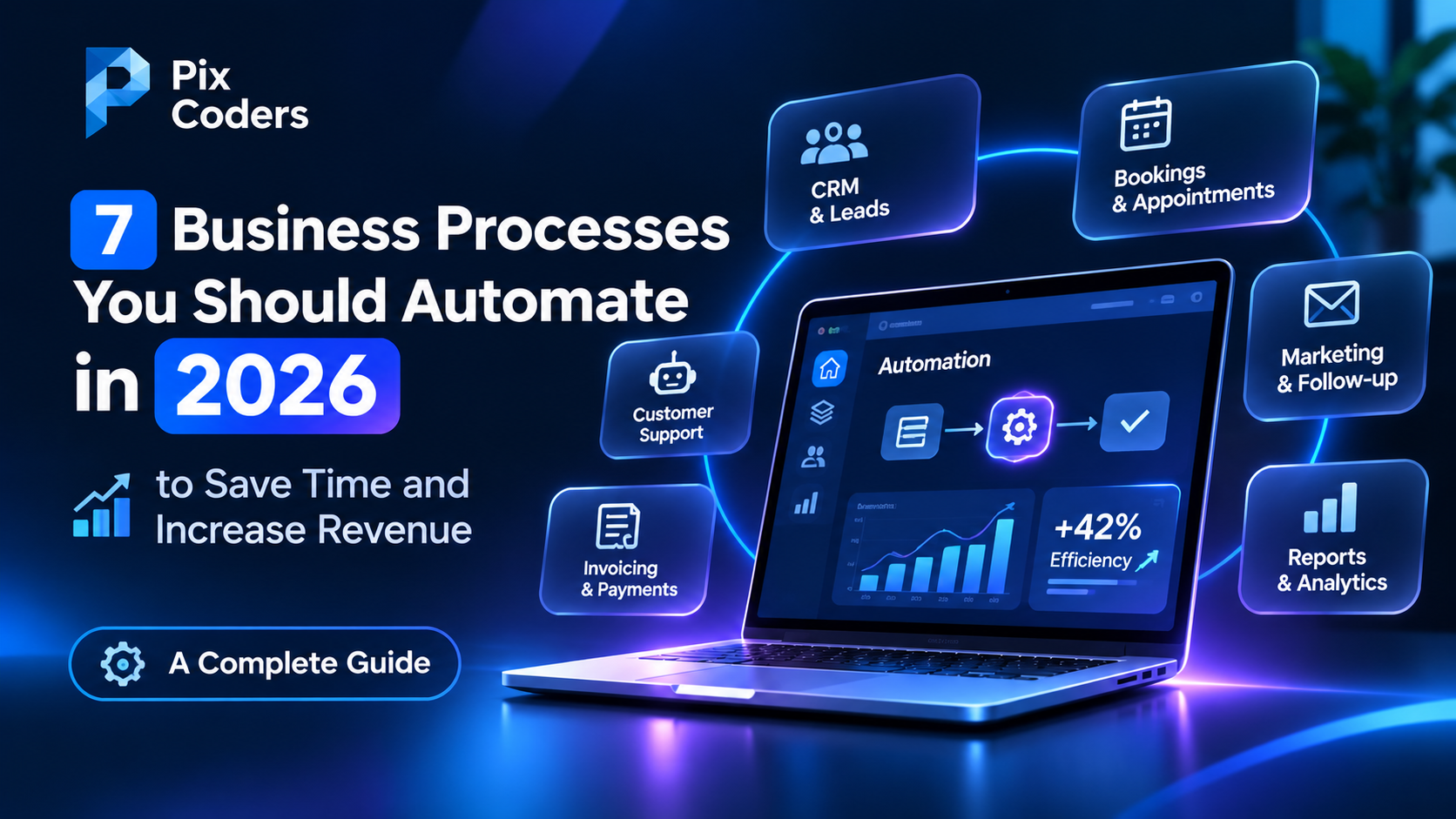
Running a successful business in 2026 requires more than a professional website and an active social media presence.
Businesses need efficient internal processes, connected digital systems, effective customer management, and the ability to grow without constantly increasing operational workloads.
Many companies still spend valuable hours performing repetitive tasks that could be automated. Employees manually enter customer information, respond to routine inquiries, prepare reports, organize appointments, and transfer data between disconnected platforms.
These activities consume resources that could otherwise be invested in customer relationships, sales, and business development.
Business process automation offers a practical solution.
In this guide, PixCoders explores seven essential business processes that companies can automate to improve efficiency, reduce operational costs, and create opportunities for sustainable growth.
What Is Business Process Automation?
Business process automation is the use of digital systems, software integrations, and automated workflows to perform repetitive business activities with reduced manual intervention.
Instead of requiring employees to complete every administrative task individually, businesses can create connected systems that execute predefined actions when specific conditions are met.
For example, when a potential customer submits an inquiry through your website, an automated system can:
Record the customer's information.
Create a new lead in your CRM.
Notify the responsible salesperson.
Send a confirmation email.
Schedule a follow-up reminder.
Update your business dashboard.
These actions can happen automatically while your team focuses on converting the inquiry into a customer.
Business automation is not necessarily about replacing employees. It is about giving employees better tools and reducing unnecessary repetitive work.
1. Lead Generation and Customer Management
Many businesses generate leads through multiple channels, including websites, advertising campaigns, social media, email, and messaging applications.
Without a centralized system, customer information can become scattered across spreadsheets, email accounts, and personal devices.
This creates several challenges:
Lost customer inquiries.
Delayed responses.
Duplicate customer records.
Missed follow-up opportunities.
Limited visibility into sales performance.
Difficulty assigning responsibilities.
A connected Customer Relationship Management (CRM) system can help businesses organize customer information and automate important sales activities.
What Can Be Automated?
Website lead collection.
Customer information storage.
Duplicate detection.
Lead assignment.
Sales pipeline updates.
Follow-up reminders.
Customer notifications.
Sales reporting.
For example, a marketing agency receiving inquiries from multiple advertising campaigns can automatically centralize its leads and assign them to the appropriate team members.
A real estate company can collect property inquiries and connect each potential buyer with the relevant sales representative.
At PixCoders, we develop CRM systems and integrations tailored to the customer management requirements of different businesses.
2. Appointment Scheduling and Reservations
Businesses that depend on appointments and reservations frequently spend considerable time coordinating availability.
Manual scheduling can lead to booking conflicts, missed appointments, communication delays, and unnecessary administrative work.
An automated booking system allows customers to submit reservations or select available appointment times directly through a website.
Businesses That Benefit From Booking Automation
Healthcare clinics.
Hotels and hospitality businesses.
Car rental companies.
Beauty and wellness centers.
Consulting companies.
Training centers.
Professional service providers.
A professional booking platform can include:
Availability management.
Online appointment scheduling.
Booking confirmations.
Automated reminders.
Cancellation management.
Customer information collection.
Payment integrations.
Administrative dashboards.
For businesses already using reservation management software, integration with existing systems may be more appropriate than building an entirely new platform.
PixCoders helps businesses evaluate these options and develop booking experiences that align with their operational requirements.
3. Customer Support and Communication
Customer communication is an essential part of business growth.
However, repeatedly answering the same questions can reduce the time available for complex inquiries and meaningful customer interactions.
Automation can help businesses provide faster initial responses while allowing employees to focus on situations that require human expertise.
Customer Support Processes That Can Be Automated
Initial inquiry acknowledgments.
Frequently asked questions.
Support ticket creation.
Order status notifications.
Appointment confirmations.
Customer inquiry classification.
Internal support notifications.
Customer satisfaction surveys.
AI-powered assistants can also help classify inquiries, summarize customer messages, and provide responses based on approved business information.
However, AI systems should have appropriate limitations, human escalation processes, and safeguards against inaccurate responses.
The objective is to improve customer service quality without removing access to human support when it matters.
4. Invoicing, Payments and Financial Workflows
Managing invoices and payment-related communications manually can create unnecessary administrative work.
Connected digital systems can simplify the process of generating invoices, tracking payment statuses, and organizing customer transactions.
Financial Tasks That Can Be Automated
Invoice generation.
Payment confirmation notifications.
Subscription management.
Payment reminders.
Transaction status updates.
Customer billing records.
Financial report preparation.
Integration with accounting platforms.
For example, when a customer completes an online payment, a connected system can update their order, generate the appropriate confirmation, and notify the responsible team.
Financial automation must be implemented with appropriate security controls, accurate transaction validation, access permissions, and reliable record keeping.
Businesses should also ensure that their invoicing and payment processes comply with applicable financial and tax requirements.
PixCoders develops secure payment integrations and custom business workflows based on project-specific requirements.
5. Business Reporting and Analytics
Business owners need accurate information to make informed decisions.
However, many companies still prepare reports by collecting information manually from spreadsheets, advertising platforms, customer management systems, and other disconnected tools.
This approach can be time-consuming and increase the risk of inconsistent information.
Automated reporting systems can centralize relevant business data and present it through organized dashboards.
Examples of Automated Business Reports
Sales performance.
Lead generation statistics.
Customer acquisition.
Booking activity.
Revenue tracking.
Marketing campaign performance.
Team productivity.
Inventory status.
Customer retention.
For example, a marketing agency can use a centralized dashboard to organize campaign leads and prepare client reports.
A car rental company can monitor reservation activity and fleet availability.
A growing business can track customer inquiries, sales opportunities, and operational performance from a single platform.
Custom dashboards help businesses access useful information without repeatedly preparing manual reports.
6. Marketing and Customer Follow-Up
Generating new leads is only one part of customer acquisition.
Businesses must also communicate with interested prospects, maintain relationships with existing customers, and identify future opportunities.
Marketing automation can help organize these activities through structured workflows.
Marketing Activities That Can Be Automated
Welcome emails.
Follow-up reminders.
Customer segmentation.
Lead nurturing.
Newsletter subscriptions.
Appointment reminders.
Abandoned cart reminders.
Customer feedback requests.
Campaign reporting.
For example, when a potential customer requests information about a service, an automated workflow can send relevant information and remind the sales team to follow up.
An e-commerce business can notify customers about incomplete purchases where appropriate.
A hospitality business can request feedback after a completed reservation.
Automation should respect customer communication preferences, consent requirements, and applicable privacy regulations.
Effective marketing automation supports meaningful communication rather than generating excessive or irrelevant messages.
7. Internal Operations and Data Management
As businesses grow, their internal processes often become increasingly complex.
Employees may use multiple applications to manage projects, documents, customer information, inventory, and administrative tasks.
Disconnected systems create repetitive work and make it difficult to maintain accurate information.
Custom business software can connect these processes through a unified digital platform.
Internal Processes That Can Be Automated
Task assignment.
Document management.
Employee notifications.
Approval workflows.
Inventory updates.
Data synchronization.
Project status tracking.
Internal reporting.
Role-based access management.
For example, when a new customer project is approved, a connected system can create the necessary project records, assign responsibilities, and notify the relevant employees.
Instead of manually transferring information between different applications, businesses can create workflows that keep their systems synchronized.
PixCoders develops custom web applications, administrative dashboards, and API integrations designed around specific business requirements.
Business Automation vs. AI Automation
Business automation and artificial intelligence are related, but they are not the same.
Traditional automation follows predefined rules.
For example, when a customer submits a contact form, the system creates a CRM record and sends a notification.
AI automation can help perform tasks that require interpretation or classification, such as summarizing customer messages, categorizing inquiries, or extracting information from documents.
Traditional automation is often more predictable for structured business activities.
AI-powered automation can be useful when workflows involve unstructured information or more complex decisions.
Successful automation strategies frequently combine both approaches while maintaining appropriate human oversight.
Businesses should select the technology that solves their problem rather than adopting artificial intelligence simply because it is popular.
Real-World Example: Automating a Customer Acquisition Workflow
Consider a service-based company that receives customer inquiries through its website.
Without automation, employees must manually review each inquiry, save customer information, assign responsibilities, prepare responses, and track follow-ups.
A connected workflow could operate as follows:
A customer submits an inquiry through the website.
The system validates the submitted information.
A new lead is created in the CRM.
The appropriate salesperson receives a notification.
The customer receives a confirmation email.
A follow-up task is created.
The lead appears in the sales dashboard.
The team tracks the opportunity until it is closed.
This illustrative workflow reduces repetitive administrative tasks and provides greater visibility into the customer acquisition process.
The exact implementation depends on the company's existing systems, sales processes, and operational requirements.
How Much Does Business Automation Cost in 2026?
The cost of business automation depends on the complexity of the workflow and the systems involved.
A simple integration between a website and an existing CRM generally requires less development than a complete custom business management platform.
Important pricing factors include:
Number of workflows.
Existing software integrations.
API availability.
Data migration requirements.
User roles and permissions.
Custom dashboard functionality.
Security requirements.
AI integration requirements.
Ongoing maintenance and support.
Businesses do not necessarily need to automate every process immediately.
Starting with a high-impact workflow can help validate the benefits before expanding automation across additional departments.
PixCoders provides customized project estimates based on individual business requirements.
Explore our project pricing calculator:
https://pixcoders.dev/en/pricing
How to Start Automating Your Business
A successful automation strategy begins with understanding the business rather than selecting software.
Step 1: Identify Repetitive Tasks
Review daily operations and identify activities that employees frequently perform manually.
Step 2: Calculate the Operational Impact
Evaluate how much time these activities consume, how often errors occur, and whether they create delays or lost opportunities.
Step 3: Prioritize High-Impact Workflows
Start with processes that have clear rules, measurable outcomes, and significant operational benefits.
Step 4: Select the Right Digital Solution
Determine whether an existing software integration, a workflow automation platform, or custom development is the most appropriate solution.
Step 5: Test Before Expanding
Validate the automated workflow with real business scenarios before introducing it across the organization.
Step 6: Measure and Improve
Monitor performance, identify weaknesses, and continuously improve the system as business requirements evolve.
How PixCoders Helps Businesses Automate Their Operations
PixCoders is a specialized web development and digital solutions partner helping businesses, startups, and marketing agencies build connected digital systems.
Our development services include:
Custom CRM Development
Customer management platforms designed around your sales processes, team responsibilities, and reporting requirements.
Business Workflow Automation
Connected digital workflows that reduce repetitive tasks and improve operational efficiency.
Website and API Integrations
Integrations connecting websites with external platforms, payment providers, booking systems, and customer management tools.
Custom Web Applications
Professional business applications designed to address specific operational requirements.
Business Dashboards
Centralized reporting systems that provide teams with organized access to important business information.
White-Label Development
Technical development partnerships for agencies that want to deliver automation solutions and custom software under their own brand.
We focus on understanding your business requirements before recommending a development approach.
Our objective is to create practical, maintainable solutions that support your existing operations and future growth.
Discover our previous projects:
https://pixcoders.dev/en/portfolio
Frequently Asked Questions
What is the main benefit of business automation?
Business automation can reduce repetitive manual work, improve consistency, accelerate routine processes, and give employees more time to focus on valuable activities.
Can small businesses benefit from automation?
Yes. Small businesses can benefit from automating customer inquiries, appointment scheduling, follow-ups, reporting, and other repetitive administrative tasks.
Do I need artificial intelligence to automate my business?
No. Many business processes can be automated using traditional rule-based workflows, software integrations, and custom applications. AI is useful when the task genuinely requires interpretation or intelligent assistance.
Can I automate my existing website?
In many cases, yes. Existing websites can be integrated with CRM platforms, booking systems, email services, payment gateways, and other digital tools.
Is business automation expensive?
Costs depend on project requirements. Businesses can start with individual workflows and gradually expand their automation systems as their needs grow.
Is business automation secure?
Automation can be implemented securely when appropriate authentication, access controls, data protection measures, logging, validation, and monitoring are included.
Can PixCoders work with my existing software?
Yes. Depending on the available APIs and technical capabilities, PixCoders can develop integrations with existing business platforms rather than requiring a complete replacement.
Does PixCoders provide white-label automation development?
Yes. Marketing and digital agencies can collaborate with PixCoders to deliver custom development and automation projects under their own brand.
Conclusion: Build a Business That Works Smarter
Business automation is not exclusively for large enterprises.
Small businesses, startups, marketing agencies, and established companies can all benefit from improving the way their digital systems work together.
By automating repetitive tasks, centralizing customer information, connecting software platforms, and improving business workflows, companies can create more efficient and scalable operations.
The most effective automation strategy starts with a real business problem and a clearly defined objective.
Whether you need a CRM system, an automated booking platform, custom business software, or integrations between existing applications, PixCoders can help you explore the right development solution.
Ready to spend less time on repetitive tasks and more time growing your business?
Contact PixCoders to discuss your business processes and request a customized project estimate.
Website: https://pixcoders.dev
Email: contact@pixcoders.dev
PixCoders - Build smarter systems. Simplify operations. Grow your business.