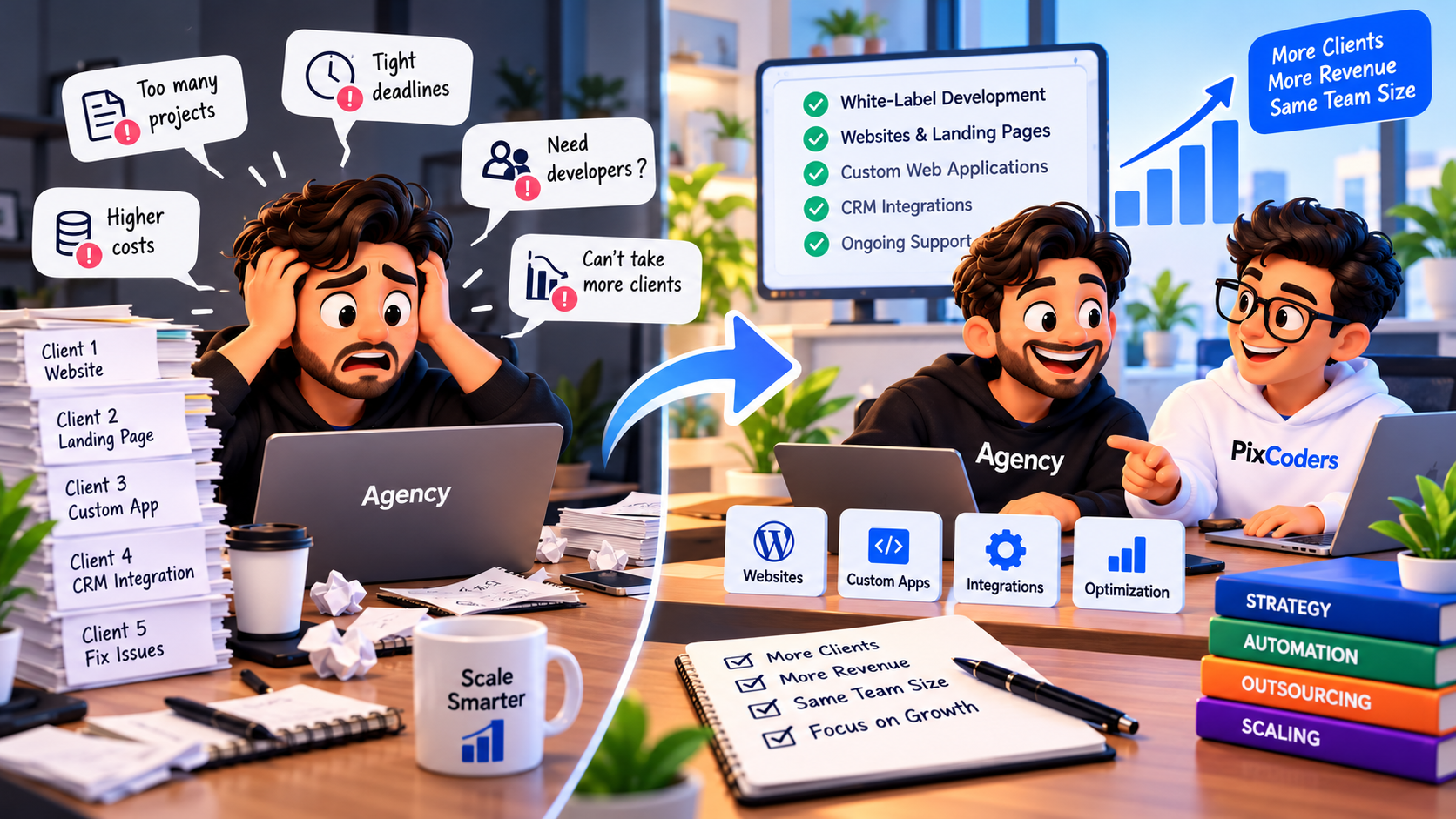

Marketing agencies are increasingly expected to deliver more than advertising campaigns, websites, and social media management.
Clients also need systems that capture leads, organize customer information, automate follow-ups, and connect different business tools.
For example, a business running Facebook and Google Ads may receive dozens of inquiries through landing pages, website forms, and advertising platforms.
But generating leads is only part of the process.
What happens after someone submits a form?
If lead information is scattered across spreadsheets, email inboxes, and different applications, businesses may struggle to track inquiries and respond consistently.
This creates an opportunity for marketing agencies to offer Customer Relationship Management (CRM) integrations.
However, many agencies do not employ developers who specialize in APIs, databases, authentication, and system integrations.
The good news is that agencies can offer CRM integration services without building an internal software development department.
By collaborating with a white-label development partner, agencies can deliver technical solutions under their own brand while focusing on marketing strategy and client relationships.
In this guide, we'll explain how CRM integrations work, which services agencies can offer, how to outsource implementation, and how to build a sustainable CRM integration service.
1. What Is CRM Integration?
CRM integration is the process of connecting a Customer Relationship Management system with other applications, websites, or business tools.
A CRM helps businesses organize information about leads, customers, conversations, and sales activities.
However, customer information often originates outside the CRM.
For example:
Website contact forms
Landing pages
Advertising lead forms
E-commerce websites
Booking systems
Email marketing platforms
Customer support tools
Internal business applications
CRM integration allows information to move between these systems according to defined business rules.
Real-World Example
Imagine a dental clinic running advertising campaigns.
A potential patient visits a landing page and submits an appointment request.
Without an integration, someone may need to manually copy the inquiry into a spreadsheet or CRM.
With an appropriately configured integration, the process can work like this:
A visitor submits the appointment form.
The website validates the submitted information.
The backend securely sends the lead to the CRM.
The CRM creates or updates the lead record.
The lead is assigned to a team member according to configured rules.
The team receives a notification.
The salesperson or receptionist follows up.
This workflow can reduce manual data entry and help businesses organize incoming leads.
The exact automation depends on the CRM platform, available APIs, and configuration.
2. Why CRM Integrations Are Valuable for Marketing Agencies
Marketing agencies invest significant effort in generating leads.
They develop advertising campaigns, optimize landing pages, and analyze campaign performance.
However, a successful advertising campaign does not automatically guarantee successful lead management.
Clients also need processes for responding to inquiries and moving potential customers through their sales pipelines.
CRM integration can help connect marketing activities with sales operations.
Improve Lead Organization
Leads from different supported sources can be collected and organized in a central system.
This gives client teams a more structured way to review inquiries.
Reduce Manual Data Entry
Automated integrations can reduce the need to copy lead details between forms, spreadsheets, and applications.
Support Faster Follow-Up
A CRM integration can trigger notifications or assignment workflows when new leads arrive.
Actual response times still depend on the client's team and processes.
Improve Lead Tracking
When data is captured correctly, businesses can track lead statuses, ownership, follow-up activity, and other information supported by their CRM.
Create Additional Agency Revenue Opportunities
CRM setup, integrations, workflow automation, and ongoing technical support can become additional agency services.
Rather than limiting client relationships to advertising campaigns, agencies can support more of the lead management process.
3. Can Agencies Offer CRM Integrations Without Developers?
Yes.
An agency does not necessarily need an internal development team to offer CRM integration services.
There are three common approaches.
Option 1: Use No-Code Automation Platforms
Some workflows can be built using automation services such as Zapier or Make.
For example, an agency may connect a supported form application to a CRM using a prebuilt integration.
This approach can be suitable for straightforward workflows.
However, no-code tools have limitations.
More complex scenarios may require:
Custom API authentication
Advanced field mapping
Data transformations
Deduplication logic
Webhook verification
Retry handling
Custom permission rules
Complex business workflows
Option 2: Hire Freelance Developers
Agencies can hire developers for individual CRM integration projects.
This approach provides flexibility, particularly when technical requirements are limited and well-defined.
However, the agency must verify relevant experience, manage project delivery, and establish support arrangements.
Option 3: Work With a White-Label Development Partner
A white-label development partner can implement CRM integrations on behalf of an agency.
The agency maintains its client relationship and delivers the solution under its own brand.
The technical partner handles the agreed development tasks.
This approach can be useful when an agency needs recurring technical support or wants to offer more complex integration services.
4. CRM Integration Services Agencies Can Offer
CRM integrations are not limited to connecting a contact form with a database.
Agencies can offer several technical services depending on client requirements.
Website-to-CRM Integration
Connect website forms with a CRM to capture customer inquiries.
Common data fields include:
Customer name
Email address
Phone number
Requested service
Message
Lead source
Submission date
The integration should validate data and map fields correctly.
Landing Page Lead Integration
Connect campaign landing pages directly to a client's CRM.
This can be useful for:
Lead generation campaigns
Appointment requests
Product inquiries
Service consultations
Event registrations
Where available and permitted, campaign tracking fields can also be passed to the CRM.
Advertising Lead Form Integrations
Some advertising platforms provide APIs or supported integration methods for retrieving lead submissions.
A properly authorized integration can transfer supported advertising leads into the client's CRM.
Requirements depend on the advertising platform, API permissions, and account configuration.
CRM-to-Email Integration
Businesses can configure CRM workflows to trigger emails after certain events.
Examples include:
Acknowledgment messages
Appointment confirmations
Internal notifications
Follow-up reminders
Marketing messages must comply with applicable consent and communication requirements.
CRM and Booking System Integration
A business may need to connect appointment requests with its customer management system.
For example, a booking can create or update a customer record and associate an appointment with that customer.
CRM and Custom Dashboard Integration
Some businesses need dashboards tailored to their operational processes.
Custom dashboards may display:
New leads
Lead status
Assigned employees
Follow-up activities
Conversion stages
Sales pipeline summaries
These dashboards can be built using custom web development technologies when standard CRM features are insufficient.
5. How CRM Integrations Work Technically
Understanding the basic technical process helps agencies communicate more effectively with development partners.
A typical integration involves several components.
Step 1: Data Collection
A visitor submits information through a form or another supported source.
Step 2: Backend Validation
The backend checks whether the required information is present and properly formatted.
Step 3: Data Transformation
The system maps incoming fields to the format required by the destination CRM.
For example, a form field named full_name may need to be mapped to the CRM's contact name field.
Step 4: API Communication
The backend sends an authenticated request to the CRM's API.
The integration may use an API key, OAuth credentials, or another supported authentication method.
Step 5: Response Handling
The integration checks whether the CRM accepted the request.
Errors should be recorded and handled appropriately.
Step 6: Logging and Monitoring
The system records relevant integration events so failures can be investigated.
Logs should avoid unnecessarily storing sensitive customer information.
Step 7: Retry and Duplicate Protection
A reliable integration may need retry mechanisms for temporary errors.
It should also prevent unintended duplicate records when the same event is processed more than once.
Important: An HTTP success response alone does not always prove that every business operation was completed correctly. Integrations should verify the expected result using the destination platform's supported mechanisms.
6. Why Custom CRM Integrations Sometimes Require Developers
No-code automation platforms can handle many standard integrations.
However, custom development becomes valuable when requirements exceed the capabilities of existing connectors.
Custom Business Logic
A business may need leads assigned according to location, service type, availability, or other rules.
Advanced Data Validation
Incoming information may require complex validation or transformation.
Multiple API Connections
A workflow may need to connect a website, CRM, booking system, email service, and internal application.
Authentication and Permissions
Some integrations require secure authentication, authorization, token management, and access control.
Error Recovery
Production integrations need to handle timeouts, unavailable services, expired credentials, and unexpected responses.
Custom Reporting
A client may require reporting features that are not available in its existing CRM.
In these situations, a development partner can help design and implement an appropriate technical solution.
7. How Agencies Can Outsource CRM Integrations Step by Step
A structured process helps agencies deliver CRM services professionally.
Step 1: Understand the Client's Problem
Before discussing technologies, identify the client's operational challenges.
Ask questions such as:
Where do your leads currently come from?
Which CRM are you using?
How are new leads entered into the system?
Who manages incoming inquiries?
What happens after a lead is received?
Which tasks are performed manually?
What information needs to move between systems?
These questions help define the actual business problem.
Step 2: Define the Desired Workflow
Document what should happen when a specific event occurs.
For example:
When a visitor submits a website form, create or update a CRM lead, assign an owner, and notify the relevant employee.
Define which fields must be transferred and what should happen when an operation fails.
Step 3: Choose the Technical Approach
Determine whether the workflow can be implemented using:
Native CRM integrations
No-code automation
A custom API integration
A custom Laravel backend
A dedicated application or middleware service
The decision should depend on technical requirements, reliability, maintenance, and overall cost.
Step 4: Collaborate With a Development Partner
Share the requirements with a qualified technical provider.
The partner should review API availability, authentication requirements, data mapping, security, and implementation complexity.
Step 5: Agree on Scope and Pricing
Establish:
Included integrations
Supported data fields
Required workflows
Delivery milestones
Testing responsibilities
Deployment requirements
Maintenance arrangements
Payment terms
Step 6: Test the Integration
Before launch, verify the complete workflow.
Testing should include successful submissions, invalid data, duplicate events, authentication failures, and temporary API errors.
Step 7: Deploy and Monitor
Once approved, deploy the integration.
Confirm that credentials are stored securely and that the system can detect failures.
Step 8: Provide Ongoing Support
Integrations may require updates when external APIs, credentials, or business requirements change.
Define who is responsible for maintenance and monitoring.
8. CRM Integration Pricing: What Agencies Should Consider
CRM integration pricing depends on the actual technical requirements.
A basic connection between two supported applications may require relatively little implementation work.
A custom integration involving several systems, advanced business logic, and error recovery can be significantly more complex.
Factors That Influence Cost
Number of connected applications
API availability
Authentication requirements
Data synchronization direction
Field mapping complexity
Workflow automation
Testing requirements
Error handling
Infrastructure
Maintenance
Example: Agency CRM Integration Project
Consider a hypothetical integration project with the following costs:
Item | Amount |
|---|---|
Outsourced technical implementation | $400 |
Workflow planning and project management | $100 |
Testing and delivery coordination | $100 |
Total direct cost | $600 |
Client selling price | $900 |
Gross project profit | $300 |
This is an illustrative financial example, not a market price benchmark.
The resulting gross margin would be approximately 33.3% before overhead, taxes, and other business expenses.
Agencies should establish selling prices based on the actual scope, costs, risk, and value of the service.
9. CRM Integration Security Best Practices
CRM systems often process personal and commercially sensitive information.
Security should be considered from the beginning of the project.
Protect API Credentials
API keys, tokens, and other secrets should not be exposed in frontend JavaScript or public repositories.
Use HTTPS
Data exchanged between systems should use secure transport.
Apply Least-Privilege Access
Grant integrations only the permissions required for their intended functionality.
Validate Incoming Requests
Public endpoints should validate submitted data and use appropriate authentication or anti-abuse protections.
Verify Webhook Authenticity
When supported by the provider, verify webhook signatures or other authenticity mechanisms before processing events.
Prevent Duplicate Processing
Use appropriate deduplication or idempotency mechanisms for events that may be delivered more than once.
Implement Logging Carefully
Record enough information to diagnose failures without unnecessarily exposing customer data or credentials.
Define Data Protection Responsibilities
Clarify who can access personal data, how long it is retained, and how applicable privacy obligations will be handled.
A professional integration should prioritize security, reliability, and maintainability alongside functionality.
10. Common CRM Integration Mistakes Agencies Should Avoid
Selling Before Checking API Availability
Not every CRM provides the same integration capabilities.
Always confirm that the required functionality is supported.
Ignoring Duplicate Leads
Repeated requests or webhook deliveries may create duplicate records.
The integration should define how duplicates are identified and handled.
Forgetting Error Handling
External services can become temporarily unavailable.
Reliable workflows need appropriate error reporting and recovery.
Storing Credentials Insecurely
Sensitive API credentials should be stored and managed securely.
Skipping End-to-End Testing
Testing only the website form is insufficient.
Verify that the expected records and actions appear correctly in the destination system.
Failing to Define Maintenance
Third-party APIs and business workflows can change.
Agree on ongoing support responsibilities before deployment.
11. How White-Label CRM Integrations Can Help Agencies Grow
CRM integrations can create additional opportunities beyond standard website development.
A marketing agency may already provide:
Paid advertising
Landing page creation
Lead generation
Conversion optimization
Analytics configuration
CRM integration extends these services into lead management and sales workflow automation.
For example, an agency could offer a package that combines:
Advertising campaign setup
Landing page development
CRM integration
Lead assignment workflow
Follow-up notifications
Basic lead reporting
This allows the agency to address a broader part of the client's lead generation process.
However, agencies should avoid promising guaranteed revenue improvements.
The effectiveness of CRM automation depends on data quality, implementation, business processes, and the client's follow-up activities.
12. How PixCoders Helps Agencies Deliver CRM Integrations
At PixCoders, we provide web development and integration support for marketing agencies, digital agencies, and creative studios.
We help agencies deliver technical solutions while maintaining control of their client relationships.
Our CRM and Integration Services
Website-to-CRM Integrations
Connect website forms and landing pages with supported CRM platforms.
Custom API Integrations
Develop backend connections between compatible applications and business services.
Lead Management Workflows
Implement lead capture, validation, assignment, and notification logic.
Custom Dashboards
Build business dashboards and administrative interfaces using technologies such as Laravel, React, and Next.js.
Business Workflow Automation
Develop custom technical workflows according to client requirements.
Custom CRM Development
Build tailored customer and lead management functionality when existing solutions do not satisfy the project's requirements.
Our White-Label Collaboration Process
1. Share Your Requirements
Provide your client's CRM platform, desired workflow, integration requirements, and expected timeline.
2. Technical Review
We assess the requirements and discuss the appropriate implementation approach.
3. Development and Testing
We implement and test the agreed integration.
4. Project Handoff
We provide the agreed deliverables, documentation, and deployment support.
We can work behind the scenes as your technical development partner while your agency manages the end-client relationship.
Confidentiality, communication, ownership, and support arrangements are agreed upon before the project begins.
Explore our development services:
https://pixcoders.dev/en/services/white-label-web-development
13. Frequently Asked Questions
Can a marketing agency offer CRM integrations without developers?
Yes. Agencies can use native integrations, no-code automation platforms, freelance developers, or white-label technical partners to deliver CRM integration services.
What is white-label CRM integration?
White-label CRM integration is a service where an external technical provider implements CRM connections on behalf of an agency, which delivers the work under its own brand.
Do CRM integrations always require custom code?
No. Many standard integrations can be implemented using built-in connectors or automation platforms. Custom development is generally needed when requirements exceed those capabilities.
Can a website automatically send leads to a CRM?
Yes, when the website and destination CRM support the necessary integration methods. The exact implementation depends on the systems and requirements.
Can agencies connect Facebook or Google advertising leads to a CRM?
Supported lead data may be transferred through authorized platform APIs, native connectors, or integration tools. Availability depends on the advertising product, permissions, and platform requirements.
What technologies are used for custom CRM integrations?
Custom implementations may use Laravel, PHP, JavaScript, REST APIs, databases, webhook handlers, queues, and other technologies suited to the project.
How much does CRM integration cost?
Costs vary according to the number of systems, API complexity, authentication, data mapping, business logic, testing, and maintenance requirements.
Are CRM integrations secure?
They can be designed securely, but security depends on implementation. Authentication, authorization, data validation, credential protection, and monitoring are important considerations.
Can agencies offer recurring CRM maintenance services?
Yes. Agencies can provide ongoing monitoring, troubleshooting, updates, and technical support according to agreed service packages.
Conclusion: Expand Your Agency's Services Without Hiring Developers
CRM integrations can help marketing agencies provide more complete digital solutions to their clients.
Instead of focusing exclusively on generating leads, agencies can help businesses organize inquiries, connect applications, automate routine workflows, and improve follow-up processes.
Offering these services does not necessarily require hiring an internal development team.
By collaborating with a qualified white-label development partner, agencies can access technical expertise while maintaining their own brand identity and client relationships.
The key is to understand the client's requirements, choose an appropriate integration approach, prioritize security, and establish clear delivery responsibilities.
Need a White-Label CRM Integration Partner?
PixCoders helps marketing agencies and digital studios build CRM integrations, custom APIs, lead management workflows, and web applications under their own brand.
Whether your client needs a website-to-CRM integration or a custom business application, we can review the technical requirements and discuss a suitable solution.
Share your project brief, CRM platform, required workflow, and expected timeline to receive a tailored development estimate.
Website: https://pixcoders.dev
Services: https://pixcoders.dev/en/services/white-label-web-development
Contact: https://pixcoders.dev/en/contact